Read from your device
Downloaded messages open from the local cache. Reading a message doesn’t require another trip to a server.
 Letterslot
All your accounts. An Inbox with approved senders.
Rich text, keyboard shortcuts and mail stored on your device.
In development. Mac and iPhone builds; no public download yet.
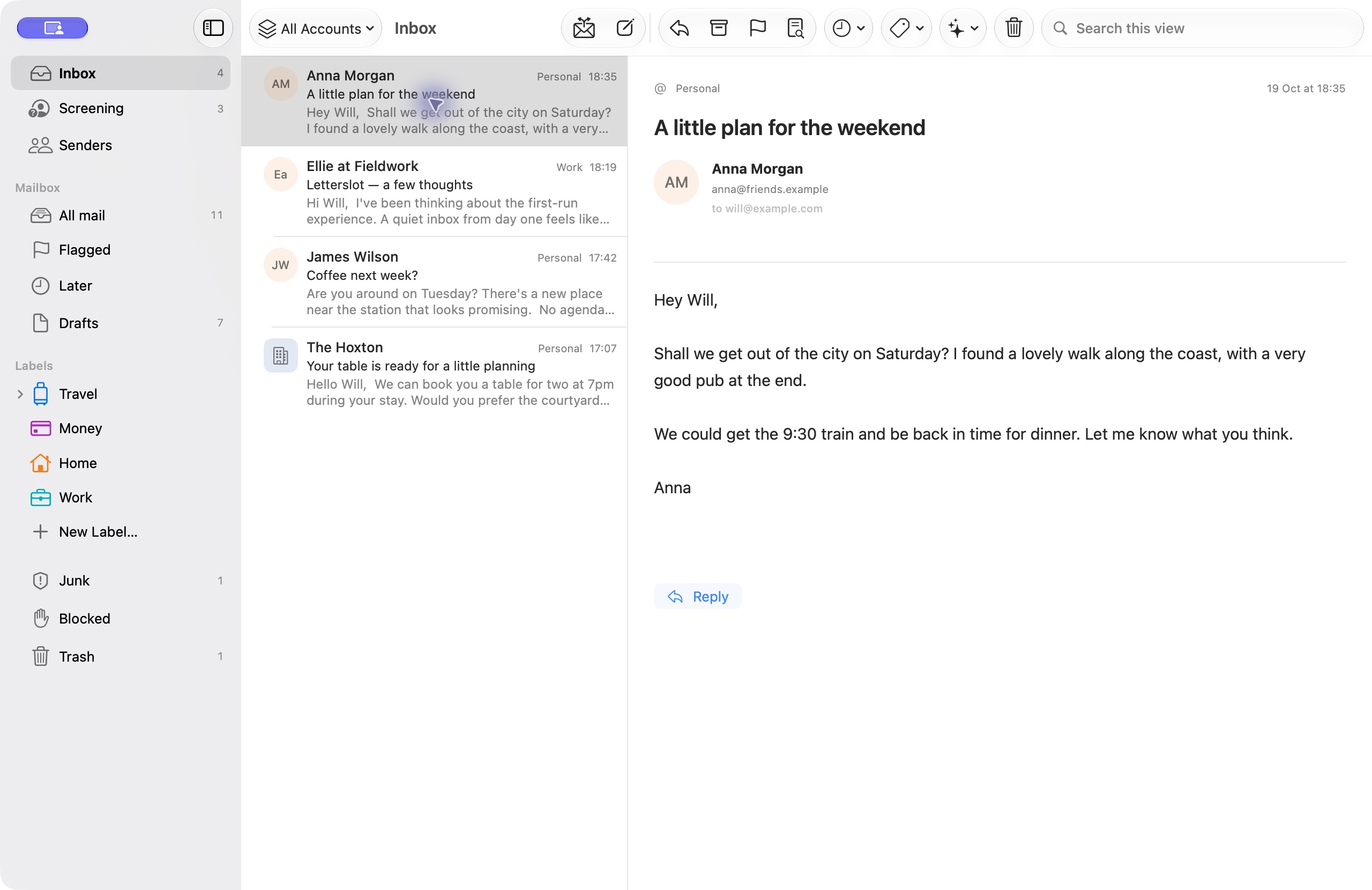
One Inbox across accounts, or switch to an individual account. Direct IMAP connections, with OAuth where supported. Live provider testing is in progress.
Downloaded messages open from the local cache. Reading a message doesn’t require another trip to a server.
The app watches for new mail over IMAP. Sync and optional on-device classification run separately from reading.
Built with SwiftUI, AppKit and UIKit. Native text editing, keyboard commands, menus and separate compose windows on Mac.
Speed is a development priority. Large-mailbox performance testing is still ahead.
Available in the development build unless noted below.
Unfamiliar senders go to Screening, grouped by domain. Accept them, skip the Inbox or block them. Your choice applies to future messages.
See a sender’s conversations, receipts, bookings and alerts together. Filter people and organisations, and merge domains belonging to the same organisation.
Create nested labels, add descriptions and apply several labels to a message. Manage them in the sidebar. A message remains available under its sender.
Fonts, lists, links, inline images and per-account signatures. Add attachments and open several compose windows at once on Mac.
Move a conversation out of the Inbox, bring it back later or flag it for follow-up. Keep its history in Senders. Local actions can be undone.
Promotions appear as a subject and date. Hide a sender’s promotions while keeping their other mail. Codes stay with the sender. Codes with a known expiry move to Trash when they expire.
Optional on-device summaries, classification and label suggestions. Automatic label creation is off by default. AI never decides whether to accept a sender.
View full headers, export the original message and save attachments. Mac S/MIME tools use Apple Security and Keychain for signing and verification.
Messages, headers and attachments stay between the app and your email provider. Passwords and OAuth tokens are kept in Keychain. A planned optional IDLE watcher uses short-lived encrypted credential leases, described in our privacy policy.
Letterslot’s notification service handles wake-up signals. It does not download, store or forward your email. Apple Intelligence runs on your device.
Storage and privacy detailsLive account testing, sending, provider-side filing, automatic iCloud sync and push delivery are active work. There’s no public release date yet.